
You know what I hate? Being well into a project and realizing that you started the wrong type or picked the wrong scaffolding options. Some things can be very difficult to change later. Also, one of my pet peeves is bloated projects. It’s crazy that a new WebAPI project will have styles, javascript files, areas, and a we-only-supported-it-for-one-release help page. In my drive to avoid these issues, I pretty much have project creation down to a science.
You might have your favorite way of creating projects, and I’d love to hear about them. Give me ideas in the comments. But for right now, this is how I normally go about a web site. The DungeonMart website it going to use Web API 2 for data services, AngularJS for UI, and Azure’s DocumentDB for the database (for now, at least).
Start with a web application.
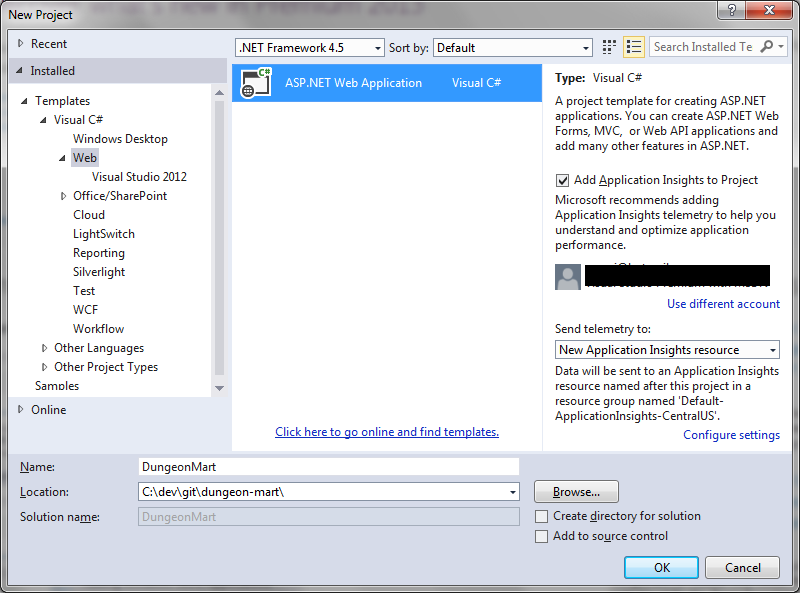
This one looks simple, but there’s so much you can mess up here. Name and Location are important. You can move the whole solution if you don’t like the location, but changing the name is really annoying. I also like to uncheck “Create directory for solution” so I get a flatter folder structure, and I’m already in a source controlled folder so I’m not going to add source control again.
Remember, Templates are bad!
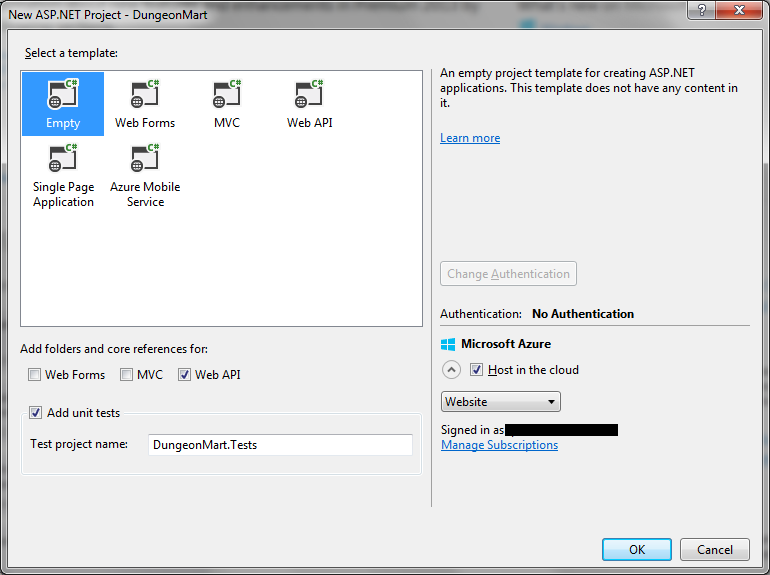
These templates are where all the bloat that I hate so much comes from. So I always pick empty, and then add the core references I want using the checkboxes below the template list. Since the UI will be AngularJS, and not MVC with Razor, I did not choose the MVC checkbox.
I did check the unit tests box, but won’t be doing that again. In VS2012, it would put the unit test project folder in the same sub-folder as the main project folder, but VS2013 is placing the unit test project in the MyDocuments project path. So I had to remove the unit test project and create a new one to get it in the right folder.
If you choose to host in the cloud…
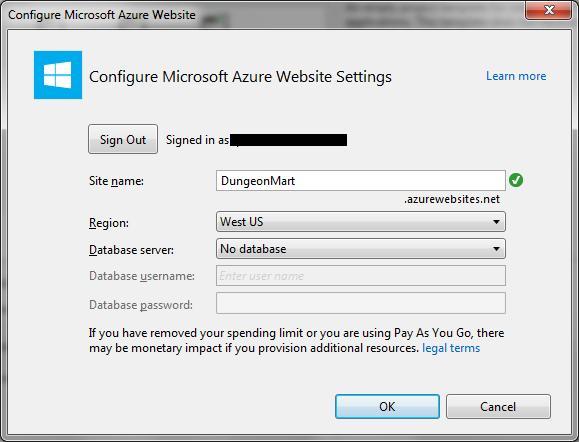
… then make sure you pick the right name here. It’s one of those things that is really, really hard to change later.
What’s next?
Well, now you have an empty project waiting for you to add stuff. If you’ve used templates before, you’ll notice that a lot of things are missing: Areas, Scripts, Content, HomeController, four of the App_Start files, billions of Nuget dependencies, and so on. You have to add the things you’re going to want yourself, as you need them. Probably the first thing would be a start page, and then your first ApiController, but I’ll get into that next time.
 Bill DeLude